


Ella's Bubbles: Control Box Reset
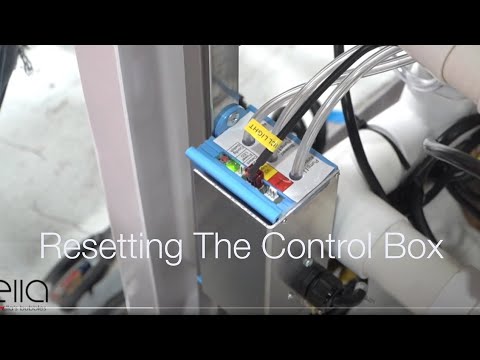
Chapters in this video
- 0:00 Disconnect Main Power Supply The video begins by showing how to disconnect the main power supply to the control box, and the green LED light goes out.
- 0:13 Disconnect All Function Connections The technician disconnects all function connections to the control box, recommending that each connection is marked before removal.
- 0:38 Disconnect Air and Water Pumps The technician disconnects all electrical connections to the air and water pumps that the tub may have.
- 0:59 Locate and Press Config Switch The technician locates the config switch on the control box and presses it until the green LED light cycles through its configuration process.
- 1:31 Reconnect Tub Components The technician reconnects all the tub's components, including the air and electrical lines, ensuring each is secured firmly.
- 1:49 Test All Tub Functions The technician tests all the tub's functions, including air, water, micro bubbles, and LED lights, to ensure they are working correctly.
A technician demonstrates how to reset the control box for an Ella walk-in tub, showing the steps to disconnect power, locate the config switch, and reconnect components.
To reset the control box for an Ella walk-in tub, first disconnect the main power supply. The green LED power light will go out when power is disconnected. Next, disconnect all function connections to the control box, marking each connection before removal to ensure correct reattachment. Electrical connections should be removed slowly and carefully to avoid damaging any pins.
Disconnect all electrical connections to any air and water pumps the tub may have. Reconnect the main power supply to the control box; the green LED power supply light will flash four times, then remain a solid green. Locate the config switch on the control box and press and hold it until the green LED light cycles through its configuration process, blinking once, then twice, three times, and finally four times. Release the config button at this point, and the LED will blink four times, turn off, and then go a solid green, indicating the control box is reset.
After the control box reset, reconnect all the tub's components using the correctly labeled lines, reattaching air lines and electrical lines firmly. Reconnect all air and hydro pumps the tub has. Finally, test all the tub's functions, including air, water, micro bubbles, and LED lights, to ensure they are working correctly. Repeat the entire process if resetting is not successful.
- Disconnect main power supply
- Disconnect all function connections
- Disconnect air and water pumps
- Locate and press config switch
- Reconnect tub components
Step by step help for this topic: How to Reset Your Walk-In Tub Control Box Step by Step, Blue Control Box Has No Power Light, or the Air Pump Runs Constantly: Diagnosis, Replacement and Returning the Old Box and Nothing Works After a Storm or Power Outage: Breaker, GFCI Under the Tub, the Control Box, and Why Motors Have No Reset Button.
Video transcript1 paragraph · 2:09
the first step in resetting the control box for your ella walk-in tub is disconnecting the main power supply the green led power light will go out when power is disconnected step two requires that you disconnect all function connections to the box we highly recommend that you mark all connections before removal so they can be replaced and put back in the correct position grasp each tube firmly twist and pull carefully electrical connection should be removed slowly and carefully to avoid damaging any pins step 3 disconnect all electrical connections to any of the air and water pumps that the tub may have in step 4 reconnect the main power supply to the box look for the green led power supply light to come back on it will flash four times and then remain a solid green for step 5 locate the config switch on the control box press and hold the config button down until the green led light cycles through its configuration process it will blink once then twice three times and then finally four times at this point release the config button and the led will now blink four times turn off and then go a solid green the control box is now reset and ready to be reconnected to all the tub's components using the correctly labeled lines reattach the air lines and the electrical lines make sure each line is secured firmly at this point you can reconnect all air and hydro pumps that the tub has test all the functions that your tub may have test the air water micro bubbles and the led lights to make sure they're functioning correctly repeat the entire process if resetting is not successful
Guides that use this video
- 📖How to Reset Your Walk-In Tub Control Box Step by StepSolución de problemas y reparaciones
- 📖Blue Control Box Has No Power Light, or the Air Pump Runs Constantly: Diagnosis, Replacement and Returning the Old BoxSolución de problemas y reparaciones
- 📖Every Repair Video in One Place: Drains, Faucets, TCV, Buttons, Control Boxes, Touchpads, Doors and OzoneSolución de problemas y reparaciones
- 📖Nothing Works After a Storm or Power Outage: Breaker, GFCI Under the Tub, the Control Box, and Why Motors Have No Reset ButtonSolución de problemas y reparaciones
- 📖Why Won't the Air or Pump Shut Off, and Is Flipping the Breaker Okay?Solución de problemas y reparaciones
- 📖Why Does Nothing on My Tub Work After a Storm or Power Outage?Solución de problemas y reparaciones
- 📖Heated Seat Not Warming Up: What to Check First and Which Parts Support ShipsSolución de problemas y reparaciones
- 📖What Should I Do If My Walk-In Tub Buttons Stopped Working?Solución de problemas y reparaciones
- 📖What Happens to an Ella Walk-In Tub During a Power Outage?Solución de problemas y reparaciones
- 📖Why Does a Deck Push Button Do Nothing on My Walk-In Tub?Solución de problemas y reparaciones
- 📖Why do my tub motors cycle on and off with no green LED?Solución de problemas y reparaciones
- 📖How Do I Reset My Ella Walk-In Tub After a Power Outage or GFCI Trip?Solución de problemas y reparaciones
- 📖Should I Reset the Control Box After Replacing a Pump, Touchpad or Heater?Solución de problemas y reparaciones
- 📖My walk-in tub has power but nothing turns on, what do I check?Solución de problemas y reparaciones
- 📖What does the control box green light mean when several parts fail at once?Solución de problemas y reparaciones
- 📖Why does a deck push button do nothing on my walk-in tub?Solución de problemas y reparaciones
- 📖Why won't my walk-in tub's air or whirlpool pump turn on?Solución de problemas y reparaciones
- 📖Why do my walk-in tub jet and blower motors stop and restart?Solución de problemas y reparaciones
- 📖Why Did the Air Blower and Ozone Generator Both Stop Working?Solución de problemas y reparaciones
- 📖What Happens After a Warranty Part Is Approved: Testing, Where It Ships, Return Labels and What to KeepGarantía y registro
- 📖The warranty replacement part did not fix my tub, what happens next?Garantía y registro
- 📖Are the Heated Seat and In-Line Heater Covered by Ella's Warranty?Garantía y registro
More Troubleshooting & Repairs videos
 ▶1:00The Deep Cleaning Power of Microbubbles: A Practical TestThe deep cleaning power of MicroBubble therapy in Ella's Bubbles walk-in tubs is demonstrated. The video shows the MicroBubble system in action…3 chapters · used in 2 guides
 ▶1:39Ella's Bubbles: Digital Touchpad ReplacementA technician demonstrates how to replace a faulty Ella's Bubbles walk-in tub digital touchpad. The process involves removing the old pad…4 chapters · used in 15 guides
 ▶2:46Drain Cable ReplacementA technician demonstrates how to replace a drain cable on Ella's Bubbles dual four-port t-type drains, which open and close the drains on…5 chapters · used in 12 guides
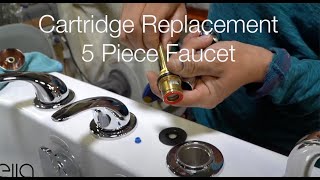 ▶1:10Ella's Bubbles: Cartridge Replacement 5 PieceA technician demonstrates how to replace a cartridge on an Ella 5-piece fast-fill faucet set. This video addresses issues like a dripping faucet or a…4 chapters · used in 28 guides
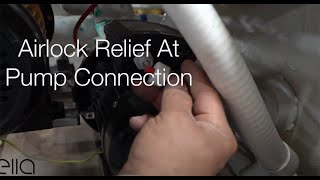 ▶0:44Ella's Bubbles: Relieving Air Lock at the pump connectionRelieving an air lock at the pump connection in your Ella's Bubbles walk-in tub can resolve issues with the hydro massage pump or massage system…used in 10 guides
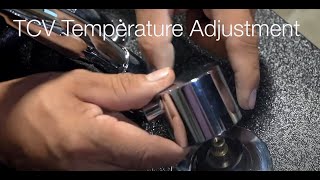 ▶1:16Ella's Bubbles: TCV Valve Temperature AdjustmentAdjusting the thermostatic control valve (TCV) on an Ella's Bubbles walk-in tub allows for hotter water. This video demonstrates how to access…3 chapters · used in 17 guides
More Troubleshooting & Repairs videos → All videos → Watch on YouTube →
 Vídeos