


How to Secure Air & Hydro Connections in Your Walk-In Tub

Chapters in this video
- 0:00 Understanding Air Signal Connections The technician explains how the push control sends an air signal to the control box via an air tube.
- 0:51 Securing Control Box Connections The technician demonstrates how to firmly plug the air tube onto the nipple of the control box.
- 1:03 Checking The Button Connection The technician shows how to retrieve the button from its housing using a flat screwdriver.
- 1:21 Securing The Pump Connection The technician pulls out the black pump part and secures the connection with the lock nut and hose.
- 1:40 Reassembling The Button The technician puts the pump and button back in place, securing it with the chrome ring.
A technician demonstrates how to secure air and hydro connections in Ella walk-in tubs. This video addresses common problems when massage systems are not working due to loose connections.
The video explains how a push control sends an air signal to the control box via an air tube. It shows how to firmly plug the air tube onto the nipple of the control box, twisting and pushing to secure the connection. This process helps resolve issues where a massage system is not working due to a faulty or disconnected air tube.
To check the connection on the button, a flat screwdriver is used to retrieve the button from its housing. The technician then pulls out the black pump part to access the connection, securing it with the lock nut and hose. Reassembling involves pushing the pump and button back into place, then securing it with the chrome ring.
These steps are applicable to Ella walk-in tubs with air massage and hydrotherapy features, including models like the Deluxe, Ultra, Elite, Capri, Petite, Monaco, Royal, Tub4Two, Big4Two, Companion, Transfer, Shak, Zen, Flow, ADA, Mobile, Front Entry, Lounger, Infinity, and Vista. Ensuring these connections are correct is essential for optimal performance and longevity of the tub's features.
- Secure air tube to control box nipple
- Retrieve button with flat screwdriver
- Secure pump connection with lock nut and hose
- Reassemble button and chrome ring
Step by step help for this topic: Pump or Massage System Not Working: Connections, Relay Switch, and What to Check First, Push-Button Air Hoses: Which Port on the Blue Box, Reconnecting a Hose That Pops Off, Red Hoses, Sealing and Replacing a Button and Troubleshooting Start Here: Match Your Symptom to the First Check and the Right Article.
Video transcript1 paragraph · 1:52
okay so here we have a control box and a push control okay and we can demonstrate like a common problem when one of the massages is not working and most of the times it's because there's no connection between the push control and the control box okay so here is the push control that sends air signal to the control box uh through an air tube and as you can see there's the connection and it could be that there's no connection between here here and because the air tube is probably not connected in there or it's faulty so that's what needs to be checked okay so you got the air tube here connected to the push control and that's what uh you know operates the tub to secure the connections on to the control box you'll need to plug it firmly on the nipple and sort of like twist and push at the same time to secure the connection check the connection on the button will retrieve the button from the housing okay so the way to do that is to take a fine flat screwdriver stick it in there you can take a second one and just work your way around it pry it off remove the button and you'll get to the pump the pump is this black part here you pull out and you'll get to the connection here you got the lock nut and the hose and you know just secure the connection pretty much and and uh if it's not connected connect it and put it back in place put it back in place push it in put the button back on and the chrome ring to hold the button place and secure the connection
Guides that use this video
- 📖Pump or Massage System Not Working: Connections, Relay Switch, and What to Check FirstTroubleshooting & Repairs
- 📖Every Repair Video in One Place: Drains, Faucets, TCV, Buttons, Control Boxes, Touchpads, Doors and OzoneTroubleshooting & Repairs
- 📖Troubleshooting Start Here: Match Your Symptom to the First Check and the Right ArticleTroubleshooting & Repairs
- 📖Why Did the Jets on My Walk-In Tub Stop Working?Troubleshooting & Repairs
- 📖Hydro Pump Only Hums After a Repair: Why an Empty Tub Shows NothingTroubleshooting & Repairs
- 📖Air Jets Work but the Hydro Jets Will Not Turn On: What to CheckTroubleshooting & Repairs
- 📖Some Jets Work but Others Never Have: Jet Adjustment, Pump Power, and When Ella Ships a ReplacementTroubleshooting & Repairs
- 📖Why does a deck push button do nothing on my walk-in tub?Troubleshooting & Repairs
- 📖Why Does a Deck Push Button Do Nothing on My Walk-In Tub?Troubleshooting & Repairs
- 📖Why Does a Deck Push Button Do Nothing on My Walk-In Tub?Troubleshooting & Repairs
- 📖Why does a deck push button do nothing on my walk-in tub?Troubleshooting & Repairs
- 📖Push-Button Air Hoses: Which Port on the Blue Box, Reconnecting a Hose That Pops Off, Red Hoses, Sealing and Replacing a ButtonReplacement Parts
- 📖Air Jet Covers, Jet Faces, Tubing and Connectors: What Can Be Replaced and What Cannot Be Added LaterReplacement Parts
- 📖Rats Chewed the Tubing Under My Tub. Can It Be Replaced?Replacement Parts
- 📖Ordering a Replacement Air, Hydro or Microbubble Pump: What to Send So the Right One ShipsReplacement Parts
- 📖The Air Tube Fitting on My Hydro Pump Snapped Off. What Part Do I Need?Replacement Parts
- 📖How do I inspect and replace a cracked pneumatic button on my tub?Replacement Parts
- 📖Who Replaces My Air Button and Hose If I Cannot Reach Under the Tub?Replacement Parts
- 📖What Is an Air Bath or Air Tub and How Does It Work?Therapies & Operation
- 📖What is an air tub and how does air bath therapy work?Therapies & Operation
- 📖Do air or hydro therapy need an extra device, or just water?Therapies & Operation
- 📖Does Ella Send a Technician? Parts, Labor, and Free Lifetime Tech Support ExplainedWarranty & Registration
- 📖What Should I Check Before Filing a Walk-In Tub Warranty Claim?Warranty & Registration
More Troubleshooting & Repairs videos
 ▶1:00The Deep Cleaning Power of Microbubbles: A Practical TestThe deep cleaning power of MicroBubble therapy in Ella's Bubbles walk-in tubs is demonstrated. The video shows the MicroBubble system in action…3 chapters · used in 2 guides
 ▶1:39Ella's Bubbles: Digital Touchpad ReplacementA technician demonstrates how to replace a faulty Ella's Bubbles walk-in tub digital touchpad. The process involves removing the old pad…4 chapters · used in 15 guides
 ▶2:46Drain Cable ReplacementA technician demonstrates how to replace a drain cable on Ella's Bubbles dual four-port t-type drains, which open and close the drains on…5 chapters · used in 12 guides
 ▶1:10Ella's Bubbles: Cartridge Replacement 5 PieceA technician demonstrates how to replace a cartridge on an Ella 5-piece fast-fill faucet set. This video addresses issues like a dripping faucet or a…4 chapters · used in 28 guides
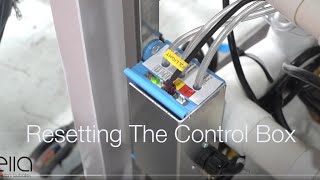 ▶2:09Ella's Bubbles: Control Box ResetA technician demonstrates how to reset the control box for an Ella walk-in tub, showing the steps to disconnect power, locate the config switch, and…6 chapters · used in 22 guides
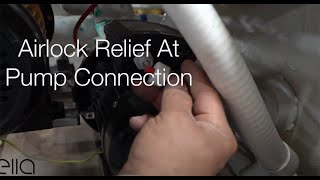 ▶0:44Ella's Bubbles: Relieving Air Lock at the pump connectionRelieving an air lock at the pump connection in your Ella's Bubbles walk-in tub can resolve issues with the hydro massage pump or massage system…used in 10 guides
More Troubleshooting & Repairs videos → All videos → Watch on YouTube →
 Videos