


Gray and Blue Control Box Explanations

Chapters in this video
- 0:00 Chromotherapy Control Box Explained The video explains the chromotherapy control box, showing how to power it and connect the LED light and air switch.
- 0:29 Air Massage Control Box Explained The video explains the air massage control box, demonstrating how to power it and connect the air pump and air switch.
- 0:50 Air Massage Speeds And Auto Purge The video details the three speeds and wave function of the air massage, along with the auto Purge feature.
Customers learn about the chromotherapy and air massage control boxes on Ella walk-in tubs. The video explains how to power each box and connect its components, including the LED light, air pump, and air switch.
The video explains the chromotherapy control box, detailing how to power it with a three-prong connector. It shows where to connect the LED light to three pins and the push-button air switch. This chromotherapy control box manages the LED light's on/off function and color changes.
The air massage control box is also explained, demonstrating its three-prong power connector for wall or cord connection. Viewers see where to connect the air pump with its three-pin connector and the air switch to its nipple. This box controls the air pump, offering high, medium, and low speeds, plus a wave function that cycles the air pump up and down.
The air massage system also includes an auto Purge feature. This auto Purge will activate after 20 minutes of use. The video details these functions for the air massage control box.
- Chromotherapy control box power connection
- LED light connection to chromotherapy box
- Air switch connection to chromotherapy box
- Air massage control box power connection
- Air pump connection to air massage box
- Air switch connection to air massage box
Step by step help for this topic: Light Chromatherapy: Using the LED Colors and Fixing a Light That Will Not Turn On, Which Cord Plugs Where: Identifying Control Boxes, Cords, and Air Tubes After Installation and Which Cord Plugs In Where on My Walk-In Tub?.
Video transcript1 paragraph · 1:15
okay so here we have the chromotherapy control box okay it's uh it'll control the LED light on and off and different colors so you'll power it up here on the back with this three prong connector powered up you hook your LED light right here on these three pins and your air switch right here your push button air switch okay and that's the LED chromotherapy control box okay so here we have the air massage control box only okay you power it up here see the three PR connector you connect it to the wall or to a cord and then uh you'll connect your air pump right here on this connection three p connector and the air switch will connect here on this nipple and that's what's going to control the air pump or air massage it'll give you three speeds high medium low and the fourth one which is the wave will will go up and down on the air pump okay and then it'll be off and it also has the auto Purge okay which will kick on after 20 minutes it's been used mhm
Guides that use this video
- 📖Which Cord Plugs Where: Identifying Control Boxes, Cords, and Air Tubes After InstallationPlumbing & Electrical
- 📖Which Cord Plugs In Where on My Walk-In Tub?Plumbing & Electrical
- 📖Every Repair Video in One Place: Drains, Faucets, TCV, Buttons, Control Boxes, Touchpads, Doors and OzoneTroubleshooting & Repairs
- 📖Why Does a Deck Push Button Do Nothing on My Walk-In Tub?Troubleshooting & Repairs
- 📖Control Box Has Power but Nothing Turns On: Where the Air Tube ConnectsTroubleshooting & Repairs
- 📖Should I Reset the Control Box After Replacing a Pump, Touchpad or Heater?Troubleshooting & Repairs
- 📖My walk-in tub has power but nothing turns on, what do I check?Troubleshooting & Repairs
- 📖Air jets will not shut off: which pump and button do I check?Troubleshooting & Repairs
- 📖What does the control box green light mean when several parts fail at once?Troubleshooting & Repairs
- 📖Why does a deck push button do nothing on my walk-in tub?Troubleshooting & Repairs
- 📖Light Chromatherapy: Using the LED Colors and Fixing a Light That Will Not Turn OnTherapies & Operation
- 📖The warranty replacement part did not fix my tub, what happens next?Warranty & Registration
More Plumbing & Electrical videos
 ▶1:52Ella's Bubbles: Proper Electrical Installation For Your Walk-In TubContractors learn the electrical requirements for installing an Ella's Bubbles walk-in tub, including dedicated GFCI protected outlets and…4 chapters · used in 27 guides
 ▶1:42Ella's Bubbles: Determining Correct Hot Water Supply For A Walk-In TubCustomers can determine the correct hot water supply for an Ella's Bubbles walk-in tub by understanding recommended hot water heater capacity…4 chapters · used in 21 guides
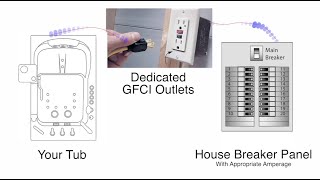 ▶0:55Ella's Bubbles: Proper Electrical Requirements For InstallationProfessional electricians determine the proper electrical requirements for walk-in tub installation, calculating total amperage for each electrical…4 chapters · used in 32 guides
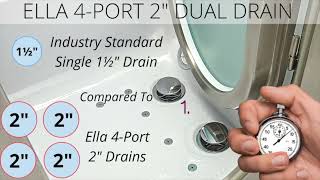 ▶2:21Ella's Bubbles: Dual Drain Technology and House Drain ConnectionElla's Bubbles dual drain technology is shown, including the dual 2-inch, four-port drain system and its connection options to a house drain…6 chapters · used in 38 guides
 ▶0:22Proper Grounding of Your Walk-In TubProper grounding of an Ella's walk-in tub is vitally important for all electrical components and the tub frame. This video shows how to secure a…used in 10 guides
 ▶1:24The Best Dual Drain Technology for Walk-In TubsElla's Bubbles Dual Drain Technology provides fast, efficient water removal for walk-in tubs. This exclusive gravity drain system ensures a…4 chapters · used in 12 guides
More Plumbing & Electrical videos → All videos → Watch on YouTube →
 Videos