


How do I join or reschedule my Ella live video demo appointment?
Mis à jour Novembre 2026
You join an Ella live video demo by tapping the one-tap link that is texted to the mobile number you gave when you booked, usually shortly before your 30-minute slot, with no app to download and no login to create. To move the appointment, or to rebook after a demo that never happened, call (800) 480-6850 with the name and mobile number on the booking and the team sets up a new slot, as explained in How do I change the time of my live video demo appointment?. This page brings the joining steps and the rescheduling steps together so you can handle either one from a single place.
How the Appointment Is Set Up
A live video demo is a scheduled 30-minute video call with an Ella's Bubbles specialist who walks the Chicago showroom and production facility with you. Slots run Monday through Friday, 8 AM to 5 PM Central, and there are no weekend times. You book on the calendar at ellasbubbles.com/walk-in-tub/schedule-showroom-tour/ or by calling (800) 480-6850, and you enter the mobile number you will use for the call. That number matters more than anything else on the booking, because the video link is texted to it and nowhere else.
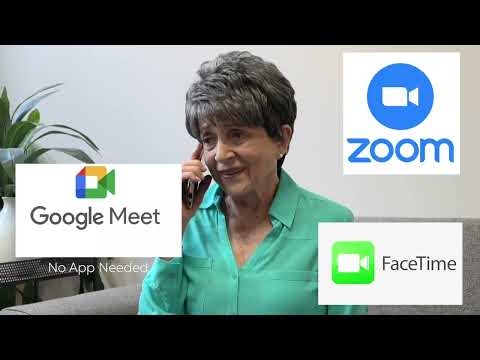
Before the slot, a team member reaches out to confirm the appointment and make sure you are ready to join, often about half an hour ahead. That contact is expected, so a call or text shortly before your time is a good sign rather than a problem. The video on this page shows how that first contact works from the customer's side: she fills out the online form, a team member calls back to set up the video chat, offers a Zoom link for a computer or Android device or Apple FaceTime instead, and the tour is scheduled from there.
Joining on the Day
- Pick up the phone whose number you gave at booking. The link goes to that number, and the most common break is booking with one number and waiting with a different phone.
- Watch the text thread rather than your email. The link is a text, and it usually arrives shortly before the appointment rather than days ahead, so an empty thread the night before is normal.
- Check your time against Central time. Appointments are set in Central, so compare your slot to that zone before you decide the link is late.
- At the appointment time, tap the link. The call opens in Zoom, FaceTime or Google Meet, whichever the team set up for your device, and nothing needs to be installed in advance.
- If you plan to join from a computer, you need a Zoom link rather than a FaceTime call, so say so when the team reaches out to confirm.
- If nothing has arrived a few minutes before your slot, call (800) 480-6850. The team resends the link or reaches you by phone instead.
Family members can join from separate devices, so if a relative in another city wants to see the tub with you, mention it when the team confirms. Where Is the Link for My Scheduled Ella Video Demo? goes deeper on where to look when the text does not appear.
If Nobody Showed Up for Your Demo
A video demo depends on two things reaching you at the same time: the text with the one-tap link, and the specialist joining at the agreed time. When the call does not happen, start with the link. If it never arrived, the booking may have gone to a different number than the phone you were holding, or the booking confirmation may be sitting in a spam folder, so check the text messages on the phone you booked with and look for the confirmation email to verify the date and time you chose. If the link arrived but would not connect, or you tapped it and nobody was on the other end, the team wants to know that too, because it is how the team finds out what went wrong with that appointment.
Either way, the fix is the same call, (800) 480-6850. Have the name the appointment was booked under and the mobile number you gave, because that is how the team looks up the booking. Ask for a new slot while you are on the line, and the team books it, confirms it with you before it comes around, and can send a direct link if the text route did not work the first time. You can also open a request at ellasbubbles.com/support with the date and time you chose, or pick a new time yourself on the scheduling calendar.
Rescheduling an Appointment You Already Have
Call (800) 480-6850 and the team sets up a new 30-minute slot. The scheduling calendar shows what is open, so it helps to look at it first and have one or two preferred windows in mind. If nothing on the calendar fits your day, say so, because the team can look at arranging a time around your availability rather than leaving you to pick from slots that do not work. Have these ready when you call:
- The name the appointment was booked under.
- The mobile number you gave at booking. If you want the link sent to a different phone for the new time, say so, since the link follows that number.
- One or two preferred days and times, Monday through Friday, 8 AM to 5 PM Central.
- The device you plan to join on, so the team sends a Zoom link or uses FaceTime or Google Meet accordingly.
Booking a demo does not commit you to anything, and Booking a Live Video Tour of the Chicago Facility: How It Works, Which Apps Work, and What to Do If the Link Never Arrives covers the original booking in full.
What Happens Once You Are Connected
The tour is live, not a recording. A specialist walks the showroom floor, where up to 28 walk-in tub models are on display, and can take you onto the production floor to watch tubs being assembled and tested. There is a live tub with water in it so the jetting options can be demonstrated, and the specialist can sit in the tub, open and close the door, and show the seats, controls, jets and even the equipment under the deck. If you are unsure about fit, the specialist can take seat and doorway measurements for you on camera and show you how to take your own body measurements at home, so you know which tub fits you most comfortably. Your questions are answered on the spot. If you would rather see the tubs in person, Can I See a Walk-In Tub in Person? Showroom Visits and Live Video Tours explains Chicago showroom visits, which are also by appointment through the same phone number.
Chapters in this video
- 0:00 Considering a Walk-In Tub The customer expresses her need for a walk-in tub due to mobility issues and safety concerns.
- 0:40 Scheduling a Live Video Chat The customer visits Ella's Bubbles website and schedules a live video chat with an expert team member.
- 1:26 Seeing Tubs in Action The Ella's Bubbles team member explains how they can show various tubs and jetting options live with water.
- 2:02 Finding the Perfect Tub The customer learns how to take body measurements and finds the ideal walk-in tub with accessories from home.
Watch: At Home Live Video Demonstration | Ella's Bubbles with chapters and a full transcript.
Questions fréquentes
Where is the link for my video demo tomorrow?
Do I need to download an app to join the demo?
Why did nobody join the video demo I scheduled?
Can I reschedule my demo to a weekend time?
Can my family join the video tour from another location?
Can I join the video demo from my computer?
About this guide. Answers in the Ella’s Bubbles Support Center are compiled from real conversations with tub owners, our technicians’ notes and the product documentation, then reviewed by our team. Tub models and options have evolved over the years, so a detail here may differ slightly from your exact tub. If something looks different on yours, send us your serial number and a specialist will confirm it for your model.
Did this solve your question?
Sinon, ouvrez un ticket et notre équipe prendra le relais.
Ouvrir un ticket d'assistance Vidéos