


Why Did Nobody Show Up for the Video Demo I Scheduled?
We are sorry the call never happened. A live video demo depends on two things reaching you, the text with the one-tap link and the specialist joining at the agreed time, and the most common break is the link going to a different mobile number than the phone you were holding. Call (800) 480-6850 with the name and the mobile number on the booking and the team will resend the link, reach you by phone instead, or set up a new slot, the same steps laid out in How do I join or reschedule my Ella live video demo appointment?.
What Was Supposed to Happen on the Day
It helps to know the normal sequence, because the break is usually easy to spot once you compare it with what you actually saw. A live video demo is a scheduled 30-minute video call in which an Ella's Bubbles specialist walks the Chicago showroom and production facility with you. Slots run Monday through Friday, 8 AM to 5 PM Central, and there are no weekend times. You book on the calendar at ellasbubbles.com/walk-in-tub/schedule-showroom-tour/ or by calling (800) 480-6850, and you enter the mobile number you will use for the call.
That number matters more than anything else on the booking, because the video link is texted to it and nowhere else. After you schedule, a team member touches base to confirm the appointment and to make sure you are ready to join, often about half an hour ahead of the slot. The one-tap link itself usually arrives shortly before the appointment, not days ahead. There is no app to download and no login to create. You tap the link at the appointment time and the call opens in Zoom, FaceTime or Google Meet, whichever the team set up for your device.
So if you were waiting for an email, for a link the night before, or with a different phone in your hand, that is the first place to look.
The Most Common Reasons a Demo Does Not Connect
- The link went to a different phone. The most common break is booking with one mobile number and waiting with a different phone. The link goes to the number on the booking and nowhere else.
- The link was a text, not an email. Your booking confirmation is in your email, but the video link is a text message, so the text thread on your phone is where it appears.
- The time zone was different. Appointments are set in Central time. If you live in another zone, compare your slot against Central before deciding that nobody came.
- The link was expected too early. The link usually arrives shortly before the appointment, so an empty text thread the night before is normal and does not mean the demo was dropped.
- The device did not match the app. If you plan to join from a computer, you need a Zoom link and not a FaceTime call. The team can send a Zoom link for a computer or an Android device, or use Apple FaceTime on an iPhone or iPad.
- The day was not a weekday. There are no weekend times, so it is worth confirming the date you chose in your booking confirmation.
If the link is the part you could not find, Where Is the Link for My Scheduled Ella Video Demo? goes through each place to look in more detail.
What to Check Before You Call
A quick look at five things helps the team find out what happened with your appointment much faster.
- Open the text messages on the phone whose number you gave at booking and look for the one-tap link.
- Look for a missed call or text from shortly before your slot. A team member reaches out to confirm the appointment, often about half an hour ahead, so that contact is expected and is a good sign, not a problem.
- Check your email inbox and your spam folder for the booking confirmation, and confirm the date and the time you chose.
- Compare that time against Central time.
- Note which mobile number you entered on the booking and which device you planned to join on.
None of these checks is required before you pick up the phone. If you cannot find anything at all, call anyway and the team will look into it with you.
How to Get Your Demo Back on the Calendar
Call (800) 480-6850 and have the name the appointment was booked under and the mobile number used on the booking handy, so the team can look into what happened with that appointment. From there the team will resend the link, reach you by phone instead, or set up a new slot and confirm it with you before it comes around. Ask for the new time while you are on the line, and mention anything that might have broken the chain, such as booking with one number and holding a different phone. If you would like the link sent to a different phone, or you plan to join from a computer, say so on the same call.
You can also pick a new time yourself on the calendar at ellasbubbles.com/walk-in-tub/schedule-showroom-tour/. It helps to look at what is open first and to have one or two preferred windows in mind. If nothing on the calendar works for you, say so, because the team can look at arranging an appointment around your availability. How do I change the time of my live video demo appointment? lists what to have ready when you move a slot. If a confirmation or a link has not arrived and you would prefer to write, open a ticket at ellasbubbles.com/support and the team will resend it.
Making the Next Appointment Go Smoothly
A few small details at booking time make the day itself easy.
- Enter the mobile number you will actually have in your hand at the appointment.
- Say which device you plan to use, so the right kind of link is sent.
- Note the time zone, since every slot is set in Central time.
- Expect the follow-up. A call or text shortly before the slot is normal.
- If the link has not arrived a few minutes before your slot, call (800) 480-6850 right then. The team resends it or reaches you by phone instead.
The first video on this page shows how the first contact works from the customer's side. She fills out the online form, a team member calls back to set up the video chat, offers a Zoom link for a computer or Android device or Apple FaceTime, and the tour is scheduled from there. The second video explains the chat itself, a live walkthrough with an Ella's team member in the United States that works like visiting a virtual showroom.
A demo that did not happen changes nothing about your options. Family members can join the new call from separate devices, and as How do Ella live video demos work, and am I obligated to buy? explains, the call ends with your questions answered and carries no commitment. If you would rather sit in a tub than see it on a screen, the Chicago showroom welcomes visits by appointment, and Can I See a Walk-In Tub in Person? Showroom Visits and Live Video Tours covers how to plan one.
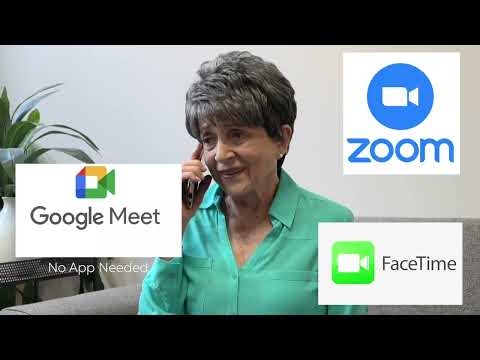

Watch: Exclusive One-on-One Video Chat | Order Your Walk-In Tub with Confidence | Ella's Bubbles with chapters and a full transcript.
Common Questions
Why did the video link for my demo never arrive?
How do I rebook a video demo that never happened?
What days and times are live video demos available?
Can I join the video demo from a computer?
Should I expect a call before my video demo starts?
Can the video link be sent to a different phone?
About this guide. Answers in the Ella's Bubbles Ella's Bubbles Walk-In Tub Support Center are compiled from real conversations with owners, our technicians’ notes and the product documentation, then reviewed by our team. Models and options have evolved over the years, so a detail here may differ slightly from yours. If something looks different on yours, send us your serial number and a specialist will confirm it for your model.
Did this solve your question?
If not, open a ticket and our team will pick it up from here.
Open a Support Ticket Videos