


How Do I Turn On and Use Microbubble Therapy on My Ella Walk-In Tub?
Updated November 2026
To use the Infusion Microbubble Therapy on your Ella walk-in tub, fill the tub until the water covers both the microbubble port and the pump intake, then press the Micro button once. Billions of tiny bubbles stream from the single port and the water turns from clear to cloudy white, and one more press of the Micro button turns the system off. What the therapy is and why the water goes milky is explained in What Is Infusion Microbubble Therapy on a Walk-In Tub?, and this page is the hands-on routine for running it, from the first fill to the final rinse.
Find the Micro Button Before You Fill
The microbubble system has its own push button, and it is marked Micro. That is true on tubs with chrome push controls, and it is also true on tubs built with the digital touchpad. The touchpad runs the air massage, the hydro massage, the chromatherapy light and, on tubs with foot jets, the foot jet pump, but it has no microbubble icon. If you have been looking for a bubble symbol on the flat panel and pressing the air bubble icon instead, you have been starting the air massage, which is a different system. How Do I Use Every Function on the Ella Digital Control Panel? goes through each icon on that panel, so you can rule them out and look for the separate Micro push button on the deck. The other deck controls are described in Are Ella Walk-In Tub Controls Clearly Labeled and Easy to Use?.
Like the other Ella push controls, the Micro button needs only a gentle push. There is no sequence to learn, no hold and no speed steps. One press starts the system and one press stops it.
Microbubble therapy is an optional package on most models, so it is worth confirming that your tub was built with it before you go looking for a fault. Ella walk-in tubs are offered with five jetting and therapy options, and hydro massage combined with micro bubbles is one of them. A tub ordered as a soaker, as hydro only or as air plus hydro will not have a Micro button to press.
Before You Press Anything: Check the Water Level
The microbubble system has its own dedicated 1 HP water pump, rated 7.3A on most spec sheets, working together with a pressure vessel and an agitator valve. The pump draws water from the tub through an intake, pressurizes it with air inside the microbubble tank, and releases it through one port as a cloud of bubbles smaller than 50 microns, too small to see individually. Because the pump is moving bath water, it needs bath water to move. The water must cover both the microbubble port and the intake before you press Micro, because running the pump dry damages it. No pump on the tub should ever run before water covers all of the jets and ports, and the microbubble pump is no exception.
So the first step every time is to look at where the port and the intake sit in your particular tub and make sure both are under water. If your tub also has hydro massage, the hydro jets have their own fill level, so fill to whichever mark is highest before you start any system. Once the level is right, the microbubble side is ready to go.
The Session, Step by Step
- Close and latch the door, then fill the tub, setting a comfortable temperature at the faucet as you normally would. Keep filling until the water is above the microbubble port and the pump intake. This is the step that matters most.
- Press the Micro button once. A gentle push is enough, and the system starts right away. The first video on this page shows exactly this moment: one touch of the micro button, and billions of microbubbles are generated from a single port in the tub.
- Watch the water change. It turns from clear to cloudy white as the bubbles spread through the bath. That cloudy, milky look is the system working exactly as designed. The published description notes the water carries up to 70 percent more oxygen than regular tap water.
- Soak for as long as you like. Microbubble therapy is a skin treatment rather than a massage, so there is no stream to aim and no intensity to set. The system is either on or off. The bubbles soften and gently exfoliate the skin while you sit in them.
- Press the Micro button once more to turn the system off. It stops the same way it was started, with a single press.
- If you want a salt bath, this is the moment for it. Dissolve Epsom salts or bath salts completely in a cup of warm water, add the mixture to the tub with every system off, and enjoy a still soak.
- Drain right after soaking, rinse the tub, and wipe down the chrome finishes.
What You Should See, and What to Report
Cloudy white water is the therapy working, not a water-quality problem. The milky look is the microbubbles themselves, not a product in the water, which is why the therapy is designed to run in plain, clean bath water.
A microbubble bath does not look or feel like a hydro massage. Hydro jets push streams of water at your back and legs, and you set their strength with the intensity dial. The microbubble system instead conditions the whole bath. The bubbles come from one port rather than from a row of jets, and they spread through the water until it takes on a milky, silky texture.
That texture is the point of the therapy. Micro bubble therapy oxygenates and gently exfoliates the skin, which is why it is a popular choice for bathers who want a skin-conscious or skin-sensitive bathing option. Our product videos describe the experience as warm and skin softening, with microbubbles that exfoliate, moisturize and invigorate.
Two things are worth a ticket. If the pump buzzes but the water stays clear, or if the bubbles come out large instead of a fine cloud, turn the system off, confirm that the port and the intake were under water, and contact the team at ellasbubbles.com/support or (800) 480-6850 with your model and serial number before running it again. If you press Micro and the water stays perfectly clear, that is not normal operation, and the checks further down this page apply.
If the system trips a breaker, remember that combined packages that include microbubbles need two dedicated GFCI 20A/120V lines. Have an electrician confirm the circuits first rather than assuming the pump is at fault.
How the Control Works on Each Tub Family
On most Ella walk-in tubs the Micro button sits on the deck with the other push controls, and the operation is one press on, one press off. On the LayDown tubs the microbubbles are delivered through one jet switched by an air switch, so the same rule applies: water over the jet first, then the switch.
The Standard60 is different because it carries the combined H2 and Microbubbles System, so there are two buttons to understand. The H2 button starts a hydrogen generator under the molded seat that is fed from a blue tank, and that tank takes distilled water only. Before first use, cut the shipping ties, remove the container from under the tub, connect the hose to the front of the tub, and fill the tank with distilled water. Never press the H2 button until the water is above the hydrogen inlet jet and the microbubble port, because that pump must not run dry either. The hydrogen side is covered in What Is H2 Hydrogen Therapy on a Walk-In Tub?.
The second video on this page walks through a Transfer60 with the Hydro and Microbubble package. It shows the hydro massage with its inline water heater and intensity control dial alongside the Infusion Microbubble Therapy, which is a useful reminder that the dial belongs to the hydro side. The microbubble side has only its one button.
The Ella Pet Spa uses the same microbubble technology in a different form, a handheld microbubble handset with built-in ozone rather than a port in the shell, and it is described in Ella Pet Spa: Microbubble Grooming Tub Specs.
Microbubbles Alongside Hydro Jets and Bath Products
On an Ella walk-in tub the microbubble system is sold as the hydro plus micro bubbles option, one of the five jetting choices listed in Walk-In Tub Therapy Options and Features, which lays out how the five packages differ. The hydro jets run from the Water button and the intensity dial, and the microbubbles run from the Micro button, so you can enjoy either in the same bath. Whatever order you run them in, the published guidance on additives is the same: therapy first, additives afterward, with every system off before anything goes into the water.
Two details are useful once you start combining functions:
- The in-line heater follows the hydro pump, not the Micro button. The heater has no switch of its own. It runs only while the hydro pump runs and stops the moment the hydro stops, and that is true on tubs with microbubbles too. It is designed to maintain the bath temperature rather than raise it.
- Each function stops from its own control. Hydro is one press on and one press off. The chromatherapy light turns off with a two second hold. The microbubble system stops with one press of its own button, even on touchpad tubs.
If you ever need everything off at once, the tub runs on its own dedicated circuits, and switching off its dedicated GFCI breakers at the panel removes all power. How Do I Turn the Jets Off in an Emergency? covers that in order, function by function.
Epsom salts and bath salts are fine once fully dissolved. Bath oils, bath beads and fragrance oils are discouraged in any Ella tub with a therapy system, and bath bombs are the one product to skip entirely. The timing and the reasons are laid out in Can I Use Bath Salts or Oils With Infusion Microbubble Therapy?.
One more point for anyone reading this before their tub arrives: microbubble therapy is built into the shell at the factory, so it is chosen at order time and cannot be added to a walk-in tub later. It is offered on the Elite, Petite, Royal, Ultra, Capri, Monaco, Front Entry, ShaK, Big4One, Transfer32, Transfer60, TransferXXL, the LayDown60 and LayDown72, and the Standard60 through its combined H2 and microbubbles system. If you are deciding now, settle it with your Ella dealer or the team at (800) 480-6850 before production.
If Pressing the Micro Button Does Nothing
Work through these checks before you assume a part has failed:
- Check the water level. The water must be above the microbubble port and the pump intake before the system is run.
- Check the power for the microbubble line. Confirm that the breaker and the GFCI outlet for the dedicated microbubble line are both on.
- Look at the control box. The green LED on the control box should be lit.
- Look for the pressure tank. Behind the access panel, a tub built with this package has a microbubble pressure tank. Because the package is optional on most models, no tank means microbubbles were not built into your tub.
If the pump runs but the water never clouds, the next step is a conversation with our technical team rather than more button presses. Open a ticket at ellasbubbles.com/support or call your Ella dealer or the team at (800) 480-6850, and have your serial number ready. It is on the label behind the magnetic access panel next to the door. If a part turns out to be needed, parts ship under the warranty and a local licensed plumber or electrician does the hands-on work.

Chapters in this video
- 0:00 Introducing The Transfer 60 Tub The video introduces the Ella's Bubbles Transfer 60 walk-in tub, highlighting its length and accessibility for wheelchair users.
- 0:21 Easy Entry And Safety Features The extra-wide L-shaped door and low threshold allow for easy entry, while grab bars and a textured floor ensure safety.
- 0:54 Innovative Jetting And Therapies The tub features hydro massage with an inline heater, ozone sterilization, MicroBubble therapy, and LED chromotherapy for a relaxing experience.
- 1:48 Fast Drain And Power Supply Ella's dual drain technology provides fast drainage, and the pumps and electronics simply plug into a GFCI power source.
Watch: Transfer 60: Walk-In Tub with Hydro & MicroBubble Therapy For Relaxed Bathing | Ella's Bubbles with chapters and a full transcript.
Related Guides
- Why Isn't My Microbubble System Making Bubbles?
- What Is the Difference Between Microbubble Therapy and Hydro Massage Jets?
- Can the Infusion Microbubble Universal Kit go on a cast iron or steel tub?
Related Videos

Chapters in this video
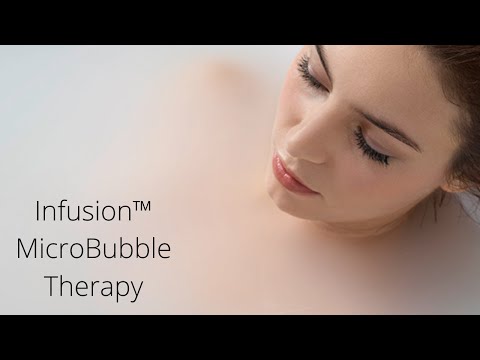
- 0:00 Infusion MicroBubble Therapy Introduction The video introduces Infusion MicroBubble Therapy as a popular accessory for Ella's Bubbles walk-in tubs.
- 0:12 Oxygenation And Skin Benefits Micro bubbles produce more oxygen than tap water and create a skin-softening, exfoliating, invigorating, and detoxifying bathing experience.
- 0:26 Visualizing MicroBubble Generation The water in the tub changes from clear to cloudy as micro bubbles are generated and fill the tub.
Common Questions
Do I have to fill the tub before turning on the microbubbles?
Why does the water turn cloudy when the microbubble system runs?
How long should I run the microbubble therapy during my bath?
Can I add microbubble therapy to my walk-in tub later?
Can I use bath salts while the microbubbles are running?
What is the H2 button on my Standard60 for?
Where is the microbubble button on a tub with the digital touchpad?
How do I turn the microbubble system off again?
How can I tell whether my tub has the microbubble package?
What should I do if the pump runs but the water stays clear?
About this guide. Answers in the Ella's Bubbles Ella's Bubbles Walk-In Tub Support Center are compiled from real conversations with owners, our technicians’ notes and the product documentation, then reviewed by our team. Models and options have evolved over the years, so a detail here may differ slightly from yours. If something looks different on yours, send us your serial number and a specialist will confirm it for your model.
Did this solve your question?
If not, open a ticket and our team will pick it up from here.
Open a Support Ticket Videos