


How Do I Turn On and Use the Microbubble Function on My Tub?
To use the microbubble function, fill the tub until the water covers the microbubble return port, then press the push button marked Micro once. Billions of microbubbles flow from a single port, the water turns from clear to cloudy white, and a second press of the same button turns the system off. The Micro button sits apart from the other deck controls, which are described in Are Ella Walk-In Tub Controls Clearly Labeled and Easy to Use?, and this page takes the microbubble system on its own from the first press to the last.
Find the Micro Button Before You Fill
The microbubble system has its own push button, and it is marked Micro. That is true on tubs with chrome push controls, and it is also true on tubs built with the digital touchpad. The touchpad runs the air massage, the hydro massage, the chromatherapy light and, on tubs with foot jets, the foot jet pump, but it has no microbubble icon. If you have been looking for a bubble symbol on the flat panel and pressing the air bubble icon instead, you have been starting the air massage, which is a different system. How Do I Use Every Function on the Ella Digital Control Panel? goes through each icon on that panel, so you can rule them out and look for the separate Micro push button on the deck.
Like the other Ella push controls, the Micro button needs only a gentle push. There is no sequence to learn, no hold and no speed steps. One press starts the system and one press stops it.
Microbubble therapy is an optional package on most models, so it is worth confirming that your tub was built with it before you go looking for a fault. Ella walk-in tubs are offered with five jetting and therapy options, and hydro massage combined with micro bubbles is one of them. A tub ordered as a soaker, as hydro only or as air plus hydro will not have a Micro button to press.
Step by Step: Running a Microbubble Bath
- Close and latch the door, then fill the tub. Set a comfortable temperature at the faucet as you normally would.
- Keep filling until the water is above the microbubble return port. This is the step that matters most. No pump on the tub should ever run before water covers all of the jets and ports, and the microbubble pump is no exception.
- Press the Micro button once. A gentle push is enough. The system starts right away.
- Watch the water change. Billions of microbubbles are generated from a single port in the tub, and the water turns from clear to cloudy white. That cloudy, milky look is the system working exactly as designed.
- Soak and enjoy. There is no intensity setting to adjust for the microbubbles. The system is either on or off.
- Press the Micro button once again to turn the system off. It stops the same way it was started, with a single press.
The first video on this page shows this sequence in a few seconds: one touch of the Micro button, the bubbles arriving from a single port, the water turning from clear to cloudy, and one more touch to switch the system off.
What You Should See and Feel in the Water
A microbubble bath does not look or feel like a hydro massage. Hydro jets push streams of water at your back and legs, and you set their strength with the intensity dial. The microbubble system instead conditions the whole bath. The bubbles come from one port rather than from a row of jets, and they spread through the water until it takes on a milky, silky texture.
That texture is the point of the therapy. Micro bubble therapy oxygenates and gently exfoliates the skin, which is why it is a popular choice for bathers who want a skin-conscious or skin-sensitive bathing option. Our product videos describe the experience as warm and skin softening, with microbubbles that exfoliate, moisturize and invigorate. The same Infusion microbubble technology is used in the Ella Pet Spa, and Ella Pet Spa: Microbubble Grooming Tub Specs describes how it works in a grooming tub.
If you press Micro and the water stays perfectly clear, that is not normal operation, and the checks further down this page apply.
Using Microbubbles Alongside the Hydro Massage, Heater and Light
On an Ella walk-in tub the microbubble system is paired with hydro massage, and each function keeps its own control. The second video on this page shows that pairing on a Transfer60 built with hydro and microbubble therapy: the hydro massage comes with an in-line water heater and an intensity control dial, and the Infusion Microbubble Therapy runs as its own system. Walk-In Tub Therapy Options and Features lays out how the five packages differ.
Two details are useful once you start combining functions:
- The in-line heater follows the hydro pump, not the Micro button. The heater has no switch of its own. It runs only while the hydro pump runs and stops the moment the hydro stops, and that is true on tubs with microbubbles too. It is designed to maintain the bath temperature rather than raise it.
- Each function stops from its own control. Hydro is one press on and one press off. The chromatherapy light turns off with a two second hold. The microbubble system stops with one press of its own button, even on touchpad tubs.
If you ever need everything off at once, the tub runs on its own dedicated circuits, and switching off its dedicated GFCI breakers at the panel removes all power. How Do I Turn the Jets Off in an Emergency? covers that in order, function by function.
If Pressing the Micro Button Does Nothing
Work through these checks before you assume a part has failed:
- Check the water level. The water must be above the microbubble return port before the system is run.
- Check the power for the microbubble line. Confirm that the breaker and the GFCI outlet for the dedicated microbubble line are both on.
- Look at the control box. The green LED on the control box should be lit.
- Look for the pressure tank. Behind the access panel, a tub built with this package has a microbubble pressure tank. Because the package is optional on most models, no tank means microbubbles were not built into your tub.
If the pump runs but the water never clouds, the next step is a conversation with our technical team rather than more button presses. Open a ticket at ellasbubbles.com/support or call your Ella dealer or the team at (800) 480-6850, and have your serial number ready. It is on the label behind the magnetic access panel next to the door. If a part turns out to be needed, parts ship under the warranty and a local licensed plumber or electrician does the hands-on work.
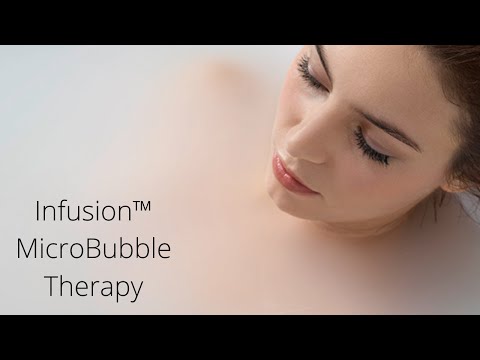

Watch: Transfer 60: Walk-In Tub with Hydro & MicroBubble Therapy For Relaxed Bathing | Ella's Bubbles with chapters and a full transcript.
Related Guides
- Why Isn't My Microbubble System Making Bubbles?
- What Is the Difference Between Microbubble Therapy and Hydro Massage Jets?
- Can the Infusion Microbubble Universal Kit go on a cast iron or steel tub?
Related Videos

Common Questions
Where is the microbubble button on a tub with the digital touchpad?
How much water does the tub need before I press Micro?
Is it normal for the bath water to turn cloudy white?
How do I turn the microbubble system off again?
How can I tell whether my tub has the microbubble package?
What should I do if the pump runs but the water stays clear?
About this guide. Answers in the Ella's Bubbles Ella's Bubbles Walk-In Tub Support Center are compiled from real conversations with owners, our technicians’ notes and the product documentation, then reviewed by our team. Models and options have evolved over the years, so a detail here may differ slightly from yours. If something looks different on yours, send us your serial number and a specialist will confirm it for your model.
Did this solve your question?
If not, open a ticket and our team will pick it up from here.
Open a Support Ticket Videos